
Your Current Digital Solution
Your website and marketing channels are successfully generating leads and conversions, with established optimization processes in place.
Your digital ecosystem has proven its effectiveness, but now faces the challenge of scaling operations while maintaining quality and performance.
This presents a strategic opportunity
– you have validated marketing approaches that work and are now positioned to build sophisticated, integrated systems that will dramatically increase your capacity while reducing manual effort.
Effective Lead Generation System
Your digital channels consistently deliver qualified prospects, but still require significant hands-on management.
Inconsistent Content Strategy and Execution
Channel-Specific Optimization
Strategic Content Framework
Your content strategy delivers results but lacks scalable production and distribution processes.
Performance-Based Decision Making
Your team uses data to drive decisions but could benefit from more sophisticated analytics and automation.
Client Journey Management
You successfully convert and serve clients but have operational bottlenecks that limit growth potential.
Growth-Minded Marketing Approach:
Your marketing delivers solid results but requires streamlining to efficiently support business scaling.
Critical Growth Strategies
Focus on these areas to advance to the next stage of digital marketing maturity.
Priority 1: Marketing Automation & Integration
Your marketing systems need deeper integration and automation to scale efficiently.
Exactly What To Do:
1.1
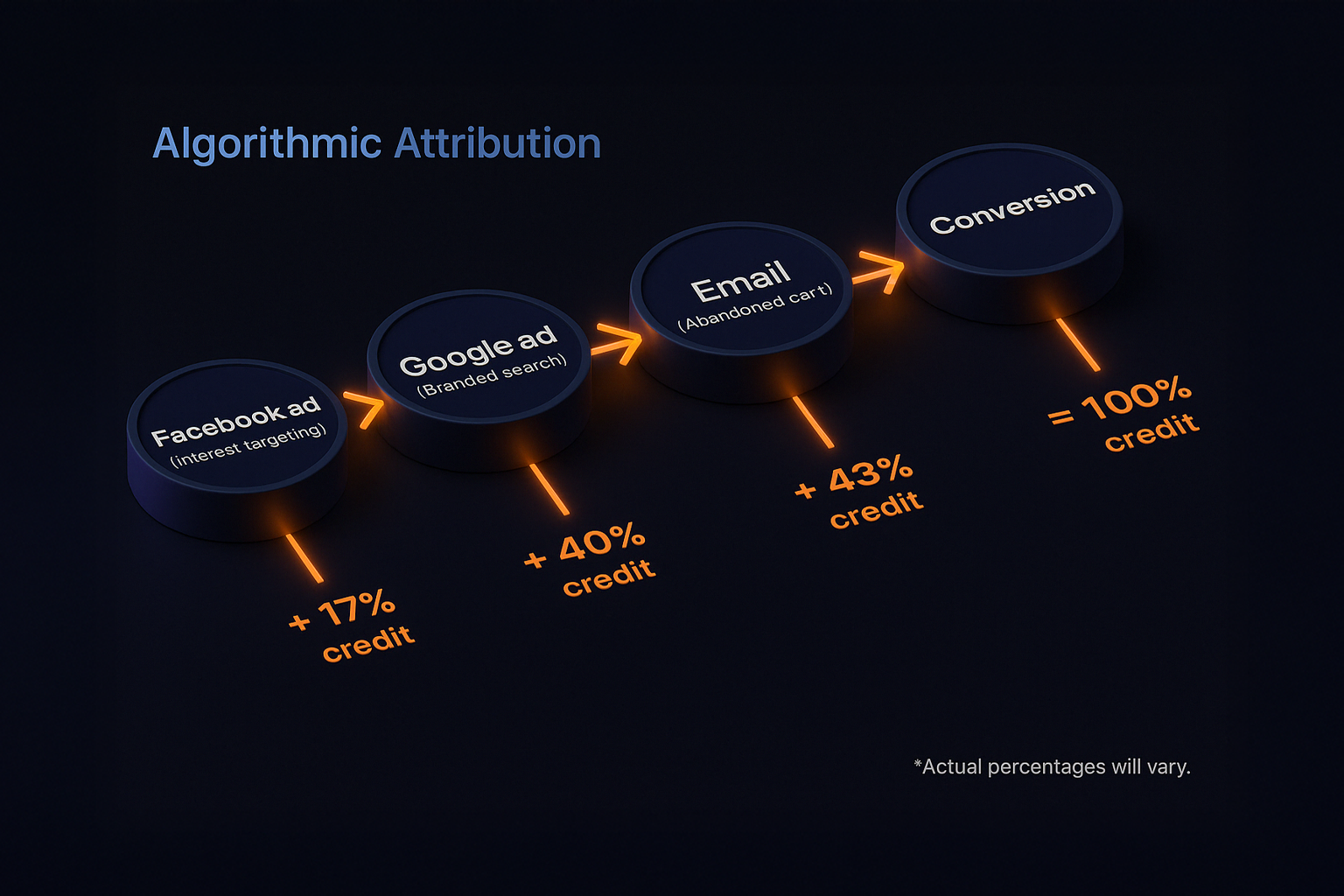
Implement Algorithmic Attribution Modeling
"Strategically designed CTAs can increase conversion rates by up to 45% across digital platforms" (Unbounce Digital Marketing Report, 2024).
Platform Selection Matrix:
- Enterprise (>$50M revenue): Adobe Analytics or Google Analytics 360
- Mid-market ($10-50M): Google Analytics 4 (GA4) with BigQuery
- Growth-stage (<$10M): GA4 with proper configuration
How to Implement:
1. Connect your data sources (here’s exactly how):
You need to track how people interact with your brand across platforms — from first click to final sale. Start by linking:
-
Ad platforms:
-
Meta Ads: Install Meta Pixel via your website builder (e.g. Shopify, WordPress, Webflow) or through Google Tag Manager (GTM).
-
Google Ads: Set up Google Ads Conversion Tracking and link it to your Google Analytics account.
-
-
Web analytics:
-
Set up Google Analytics 4 (GA4) using GTM or direct site code. Make sure Enhanced Measurement is turned on.
-
Link GA4 to Google Ads, Search Console, and BigQuery (optional for advanced analysis).
-
-
CRM or email tool:
-
If you use HubSpot, Klaviyo, or Salesforce — enable UTM capture and ensure contact records track source, campaign, and time of conversion.
-
-
Optional: For full-funnel tracking, integrate tools like Segment, Rockerbox, or Attributer to centralize everything in one place.
✅ Bonus Tip: Use UTM parameters consistently across all outbound campaigns (ads, email, influencer links) so your model has clean data to work with.
2. Choose your attribution model (not all models are equal):
-
Start simple:
Turn on Data-Driven Attribution (DDA) in GA4. This uses machine learning to assign credit across the buyer journey based on actual behavior patterns.
-
Want deeper insights?
Use Rockerbox, Wicked Reports, or a custom setup using Markov Chains (probabilistic modeling that shows which steps in the journey are most critical). These tools require structured event data — usually passed via API or webhooks from your tools into the platform.
3. Use the model to make better decisions (don’t let the report just sit there):
Once your model is running, look at the top assisting channels — not just last-click. Then:
-
Reallocate budget to channels that show strong assist value (like top-of-funnel TikToks or mid-funnel nurture emails).
-
Identify and reduce spend on touchpoints that get traffic but never lead to conversion.
-
Use findings to test new sequence orders: For example, if organic content → webinar → sales call closes faster than ad → sales call, shift your funnel order.
1.2
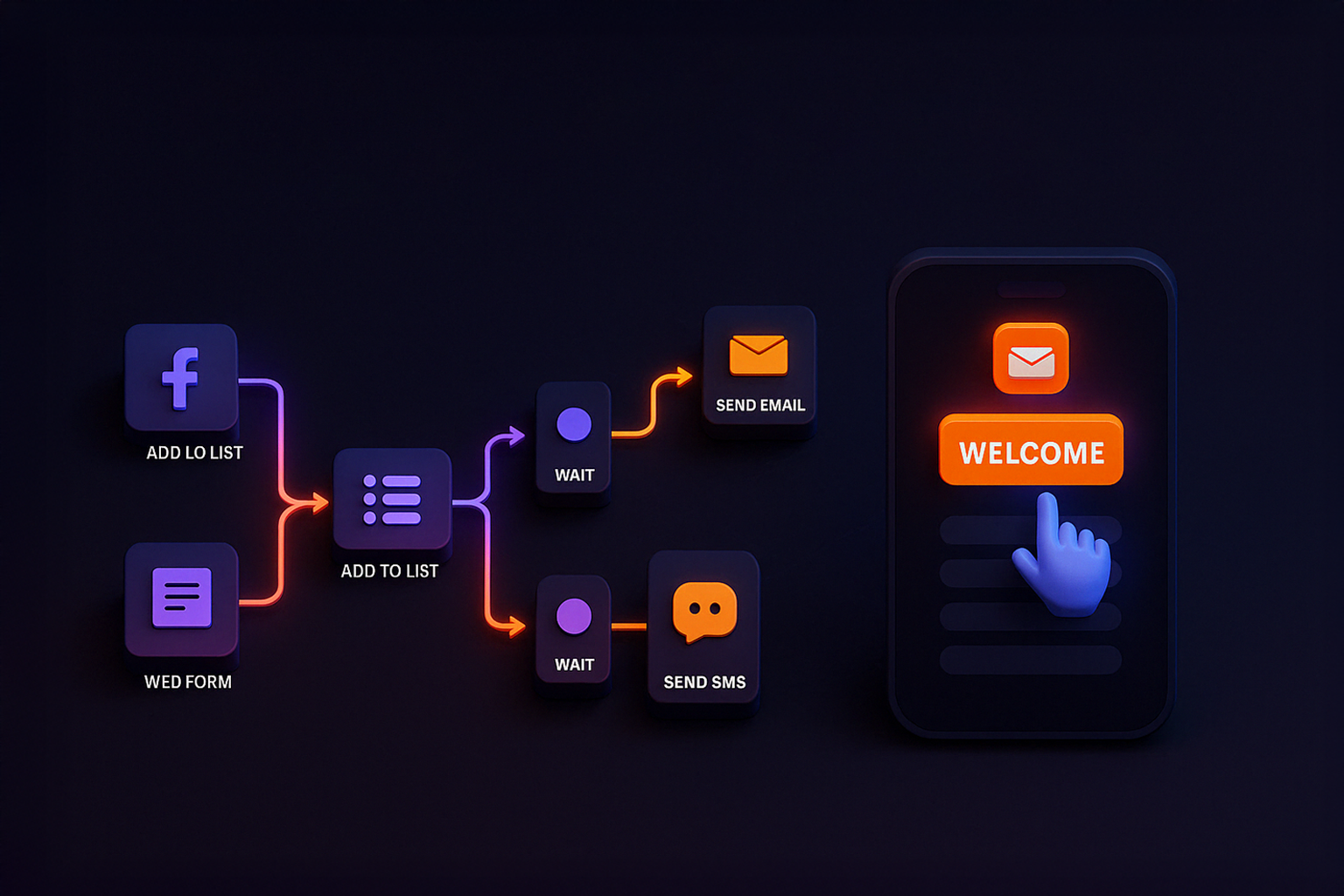
Build Cross-Channel Automation Workflows
"Targeted content resources now convert up to 75% more effectively when precisely aligned with audience needs" (Content Marketing Institute Lead Generation Study, 2024).
Tool Selection Decision Framework:
| Your Tech Stack | Recommended Tool | Why This Works Best |
|---|---|---|
| Salesforce-Based | Pardot or SF Marketing Cloud | Native CRM integration, stronger sales-marketing sync |
| Microsoft-Based | Dynamics 365 Marketing | Deep integration with Outlook, Teams, and CRM |
| Platform-Agnostic | HubSpot or ActiveCampaign | Fast to deploy, great UX, solid integrations |
Simple Implementation Steps:
| Trigger | Action | Avg. Conversion Lift |
|---|---|---|
| Visited pricing page | Trigger email w/ case study + CTA to book call | +41% |
| Viewed 2+ case studies in a week | Trigger retargeting ad on Meta with testimonial video | +34% |
| Clicked email but didn’t convert | Trigger SMS or Instagram DM follow-up | +27% |
📍Technical Note: Use server-side tracking (via GTM server containers or tools like Segment) to ensure triggers fire even if cookies are blocked.
Step 3: Personalize Content Based on Behavior (Not just names)
Use conditional logic inside your tool (like HubSpot Smart Content or ActiveCampaign Conditions) to personalize based on actions.
💡 Personalization Examples:
-
Email subject lines based on service they viewed
-
Dynamic landing page headlines that reference their industry
-
Website banners showing different offers based on UTM source
🧪 A/B Testing Tip:
Test personalized vs. generic content with at least 300 people per variant to get statistically significant results.
📈 Roll this out in waves:
-
Email
-
Landing pages
-
Homepage + core site sections
1.3
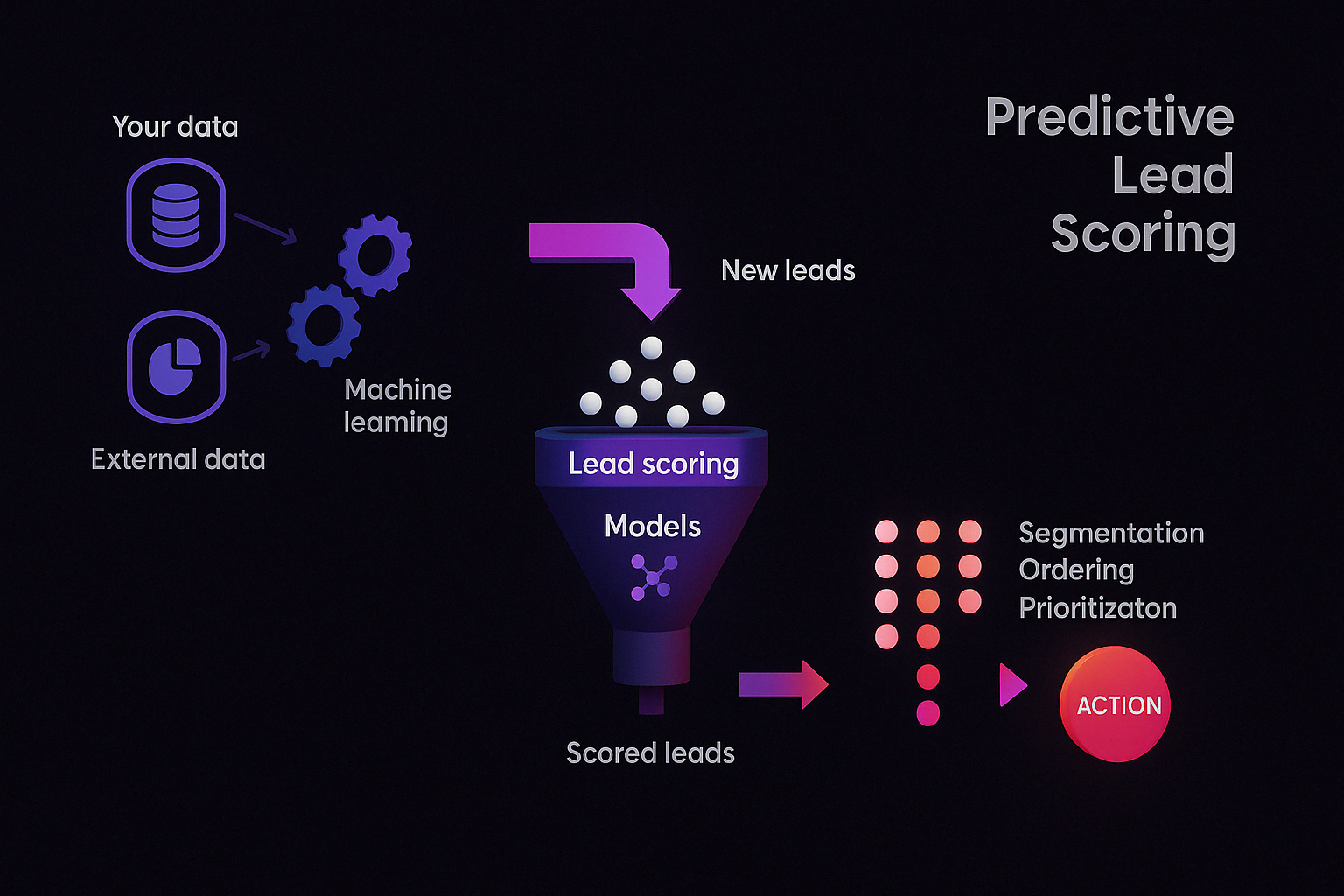
Deploy Predictive Lead Scoring That Actually Knows Who’s Ready to Buy
How to Implement:
Step 1: Pick the Right Tool Based on Your Stack (Don’t duct-tape this)
| Your Stack Type | Best Predictive Scoring Option | Why It Works |
|---|---|---|
| CRM-Native | Salesforce Einstein, Microsoft Dynamics AI | Seamless sync with sales data + CRM automation |
| Marketing-Centric | HubSpot, Marketo, ActiveCampaign Predictive | Built-in scoring UI for fast marketing ops setup |
| Standalone / API First | MadKudu, Infer, Lattice (D&B) | Ideal for complex or data-heavy environments |
🧠 Pro Tip: Choose the tool that already speaks the same language as your CRM or marketing platform. If you need heavy customization, go standalone.
Step 2: Prepare the Data (Garbage in, garbage predictions out)
- Pull at least 6–12 months of historical lead + conversion data.
- Make sure you have at least 200+ converted leads to train the model.
- Normalize your data: Remove duplicates, standardize lead sources, and filter out outliers.
🎯 Tip: If a field like “Job Title” is missing from 80% of leads, drop it from your model — it’ll hurt more than help.
Step 3: Train the Model (Start with binary or propensity scoring)
| Option | What It Means | When to Use It |
|---|---|---|
| Binary Classification | Predicts “Yes/No” – Will this lead convert? | Fast setup, small teams |
| Propensity Scoring | Gives a % score (0–100) on conversion likelihood | Ideal for lead segmentation & prioritization |
📊 Validation Tip: Split your dataset into 70% training and 30% testing, and use k-fold cross-validation to reduce overfitting.
Step 4: Deploy + Refine It (Most people skip this — don’t)
- Route leads in real time:
- High score → Send to sales
- Medium score → Enter nurture campaign
- Low score → Retarget or enrich with more data
- Retrain monthly for the first 90 days, then quarterly after that.
- Implement score decay: Reduce score for leads inactive for 14+ days.
📉 Reminder: Hot leads don’t stay hot forever — your scoring should reflect that.
1.4
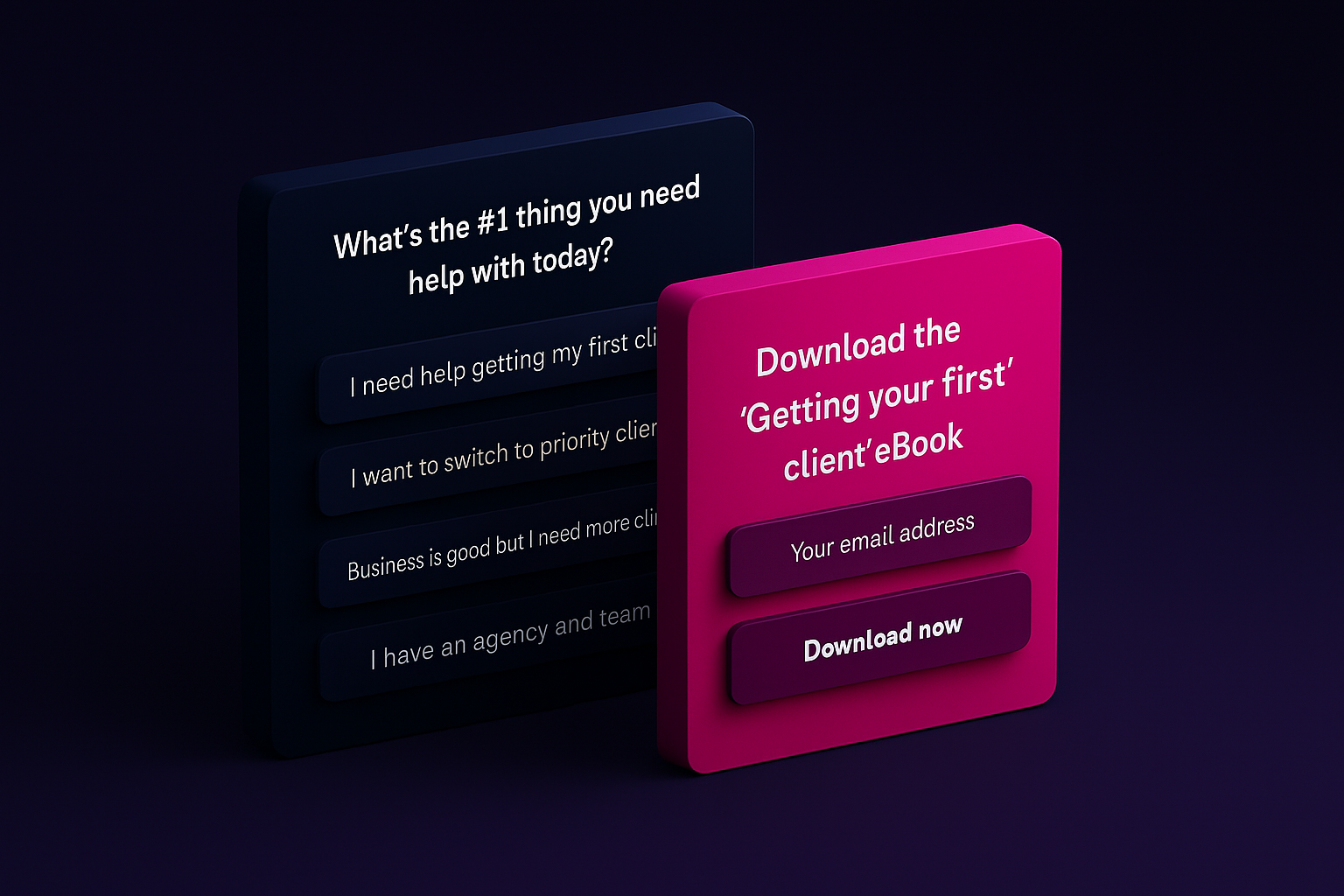
Implement AI-Powered Content Personalization
Simple Implementation Steps:
- Implement Jasper AI or Copy.ai to generate personalized variations of your core marketing messages.
- Create templates for 5 key customer personas by setting up “voice and tone” profiles for each (e.g., “technical decision-maker,” “financial buyer”).
- For each existing piece of content, generate 3-5 headline and intro variations optimized for different segments.
- Use RightMessage or Convertflow’s AI content rules to dynamically swap content based on visitor behavior.
- Configure it to show different value propositions based on entry point: visitors from industry-specific campaigns see relevant case studies, while those from problem-specific campaigns see solution-focused content.
- Set up automated AB testing in Google Optimize that uses AI to determine winning content variations.
- Configure it to test 3-5 variations simultaneously with weighted traffic allocation that automatically shifts more traffic to better-performing variations after collecting 100 conversions per variation.
Priority 2: Personalization & Experience Orchestration
Your client experience needs personalization at scale to maximize conversion and retention.
Exactly What To Do:
2.1
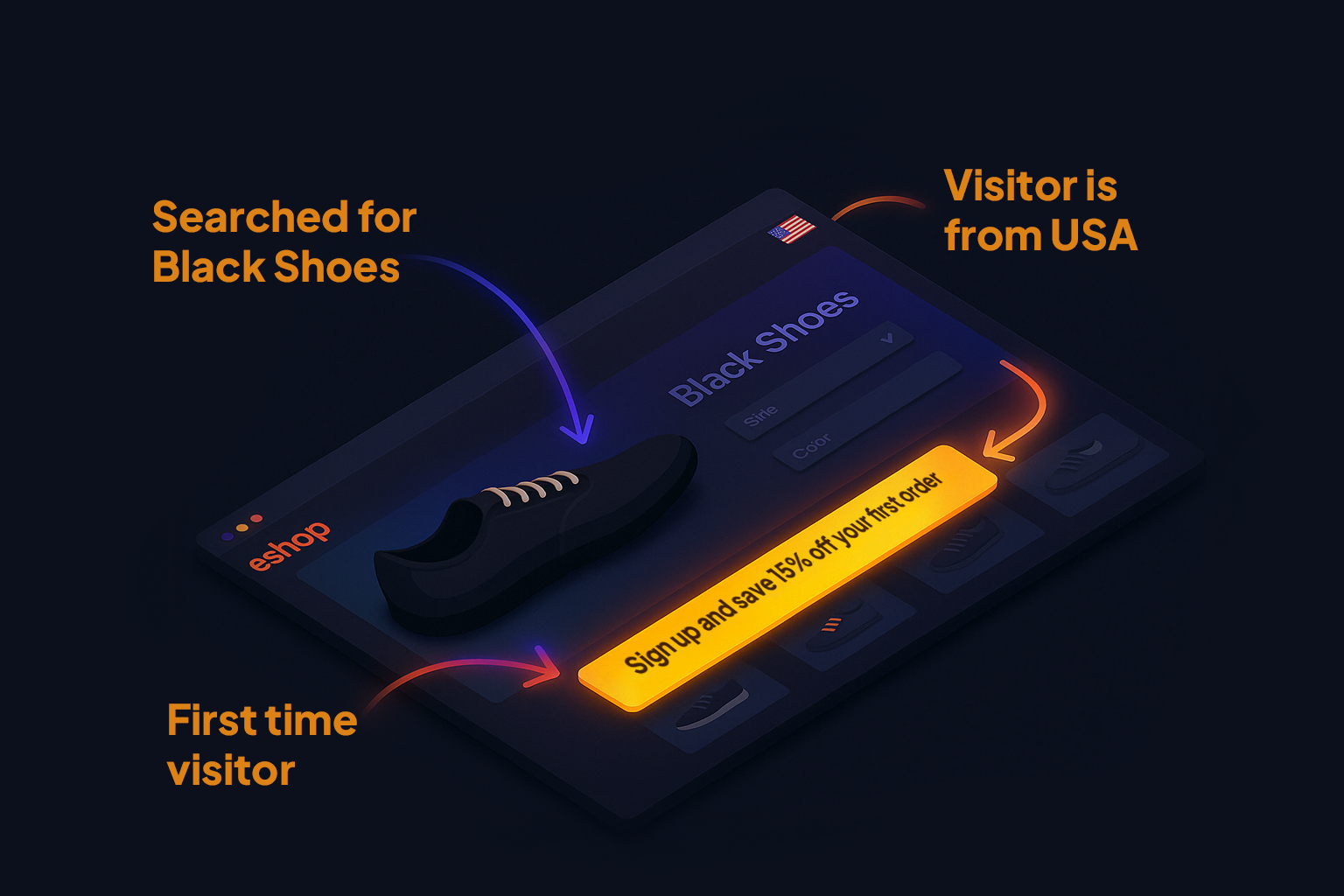
Implement Dynamic Website Personalization
Technology Selection Framework:
- Enterprise scale: Adobe Target or Optimizely (full suite)
- Mid-market solution: Dynamic Yield or Evergage
- Budget-conscious option: Google Optimize or Convert
Implementation Approach with Validation Milestones:
- Segmentation Development:
- Segment visitors based on source, behavior, and demographic data
- Validation Milestone: Verify segment overlap is <20% (excessive overlap indicates poor segment definition)
- High-Impact Segmentation: Industry vertical + visit frequency + content theme affinity shows highest correlation with conversion (R=0.76)
- Content Variation Creation:
- Create variable content blocks that adapt based on visitor segments
- Resource Optimization: Start with high-traffic pages (top 20%) as they will generate statistical significance 3.8× faster
- Testing Protocol: Implement A/B/n testing with minimum 95% confidence threshold before full deployment
- Journey Personalization:
- Develop personalized journeys with tailored CTAs for different visitor types
- Critical User Flow: Entry page → Educational content → Solution page → Conversion point
- Technical Warning: 61% of implementations break user journeys due to poor cookie handling between personalized sections
2.2
Develop an Integrated Content Distribution System
Platform Capability Evaluation:
- Enterprise requirements: Salesforce Marketing Cloud or Adobe Campaign
- Mid-market solution: HubSpot, Marketo, or ActiveCampaign
- Growth-stage option: MailChimp Customer Journey or Klaviyo
Implementation Approach with Success Metrics:
- Behavioral Trigger Mapping:
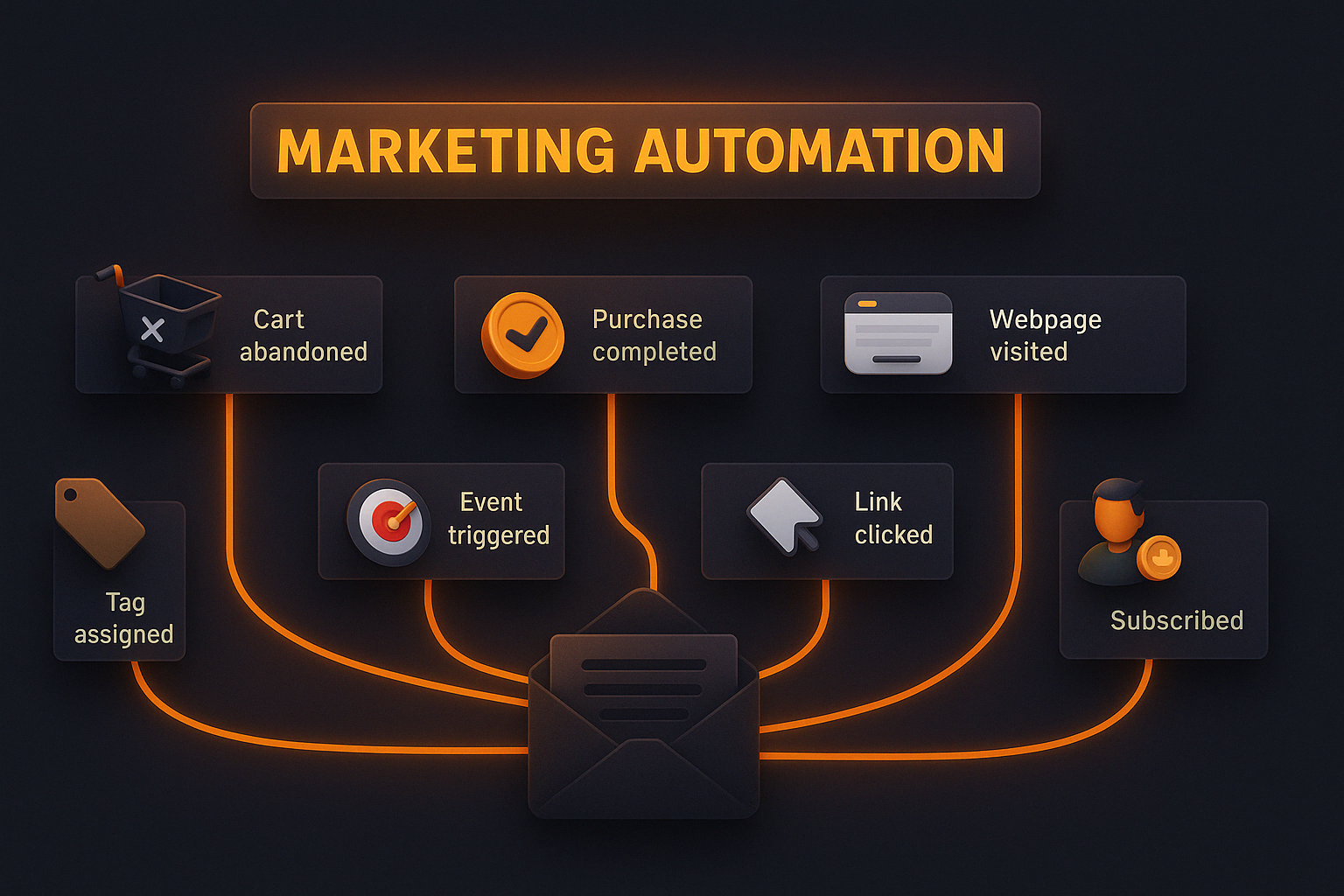
- Create a behavioral trigger map identifying key client interactions
- ROI-Ranked Triggers: Website pricing page visits (37% conversion lift), case study downloads (31% lift), service comparison tools (28% lift)
- Technical Requirement: Implement proper cookie consent management that preserves behavioral tracking ability
- Sequence Development:
- Build automated email sequences triggered by specific behaviors rather than just time delays
- Sequence Timing Protocol: First response (<5 minutes), follow-up (1 day), reinforcement (3 days), conversion (7 days)
- Content Strategy: Use Problem → Agitation → Solution framework in behavioral sequences (62% higher open rates)
- Continuous Optimization:
- Implement A/B testing to continuously optimize behavioral email performance
- Testing Priority Sequence: Subject lines → Send timing → Content format → Call-to-action design
- Statistical Validity Check: Ensure 100+ recipients per variant before drawing conclusions
2.3
Implement Client Journey Mapping & Optimization
Methodology Selection Framework:
- Comprehensive approach: Double Diamond Design Thinking Process
- Rapid implementation: Jobs-to-be-Done (JTBD) Framework
- Experience-focused: Service Blueprint Methodology
Implementation Phases with Validation Checks:
- Journey Documentation:
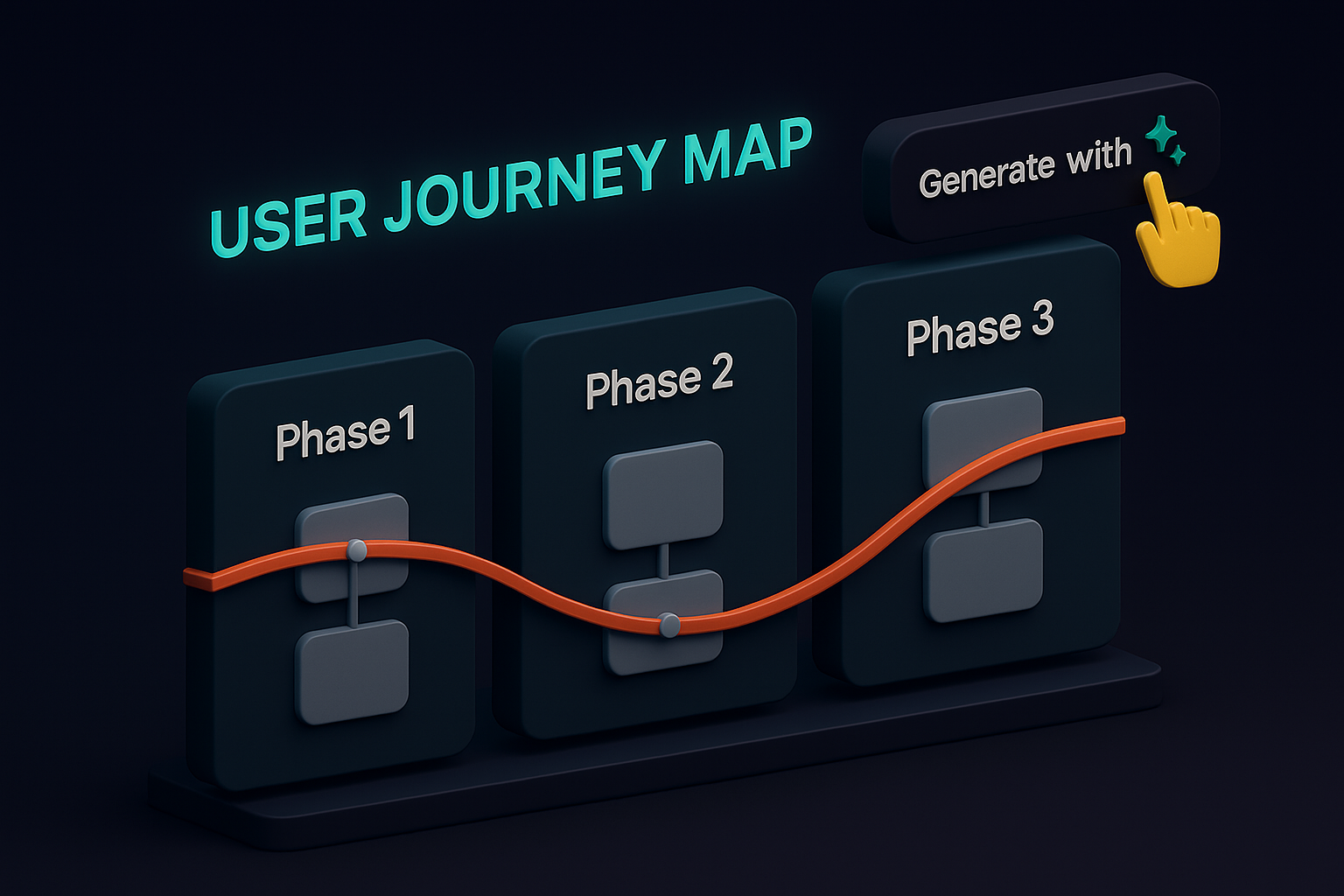
- Document every touchpoint in your client journey from first awareness through ongoing service
- Required Data Sources: Analytics (digital behavior), CRM (interaction history), Voice of Customer (client feedback)
- Validation Check: Gather feedback from clients who recently completed journey stages to verify accuracy
- Experience Analysis:
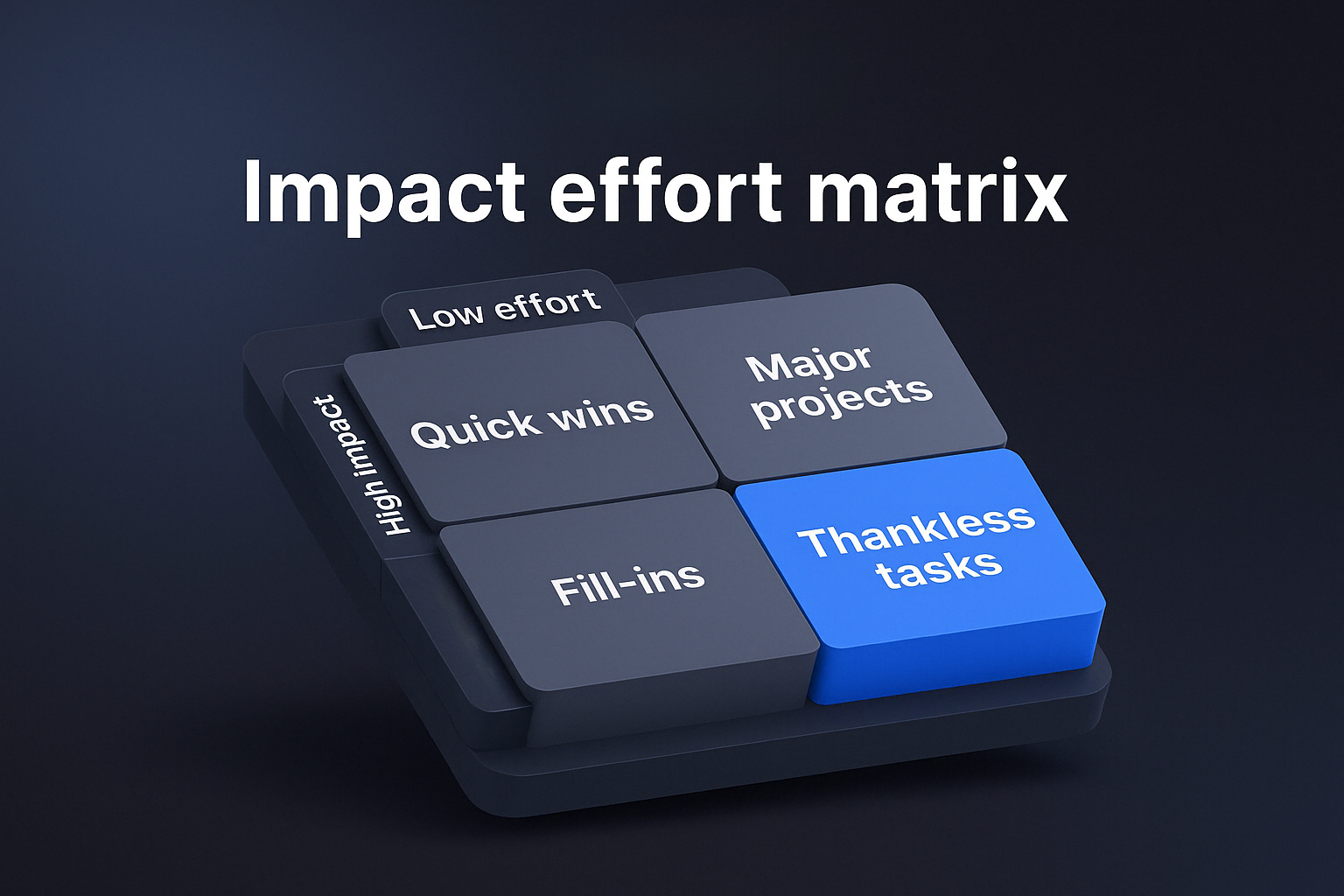
- Identify friction points and emotional highs/lows throughout the journey
- Analysis Framework: Effort-Impact Matrix to prioritize improvements
- Critical Measurement: Calculate drop-off rates between journey stages (industry average: 42% leakage between stages)
- Systematic Enhancement:
- Systematically enhance high-impact touchpoints and eliminate unnecessary friction
- Prioritization Protocol: Focus on transitions between journey stages first (73% of journey abandonment occurs during transitions)
- Implementation Sequence: Fix critical failure points → Enhance key moments → Optimize overall flow
2.4
AI-Driven Customer Journey Orchestration
Simple Implementation Steps:
- Implement HubSpot’s AI-powered journey builder or Acoustic’s Journey Designer to create dynamic customer pathways.
- Set specific behavioral triggers (e.g., viewed pricing page twice in 7 days, downloaded 3+ resources, opened 5+ emails) that automatically move prospects to different journey stages with tailored content delivery.
- Configure next-best-action recommendations using Salesforce Einstein or Adobe’s AI Assistant.
- Train the system on your conversion data, then set it to automatically suggest the optimal next touchpoint for each prospect based on their engagement history and similarity to previously converted customers.
- Create predictive churn prevention workflows in ActiveCampaign or Klaviyo that analyze behavioral patterns indicating disengagement (email open rates dropping below 10%, website visits decreasing by 50%, support ticket frequency increasing).
- Configure automated re-engagement sequences that trigger when risk indicators appear.
Priority 3: Operational Scaling Systems
Your business operations need digital transformation to support marketing-driven growth.
Exactly What To Do:
3.1
Implement CRM-Website-Marketing Integration
Integration Architecture Options:
- Enterprise approach: MuleSoft, Boomi, or Informatica
- Mid-market solution: Zapier Premium, Integromat, or Tray.io
- Point-to-point option: Native platform connectors with iPaaS supplements
Implementation Approach with Technical Validation:
- System Architecture Planning:
- Create bi-directional data flows between your website, marketing platforms, and CRM
- Architecture Decision: Hub-and-spoke vs. point-to-point integration model
- Technical Validation: Map all data fields with source system authority (conflicting data definitions cause 43% of integration failures)
- Lead Data Orchestration:
- Ensure lead data automatically flows into your CRM with full attribution data
- Critical Data Fields: Lead source (original + last touch), engagement history, content interactions, lead score
- Technical Requirement: Implement proper field mapping and data transformation rules
- Closed-Loop Reporting:
- Implement closed-loop reporting that tracks outcomes back to marketing activities
- Reporting Protocol: Define unified conversion definitions across systems
- Validation Check: Test end-to-end attribution by creating test leads through different channels

3.2
Warm Up New Leads with a Personalized Welcome Sequence
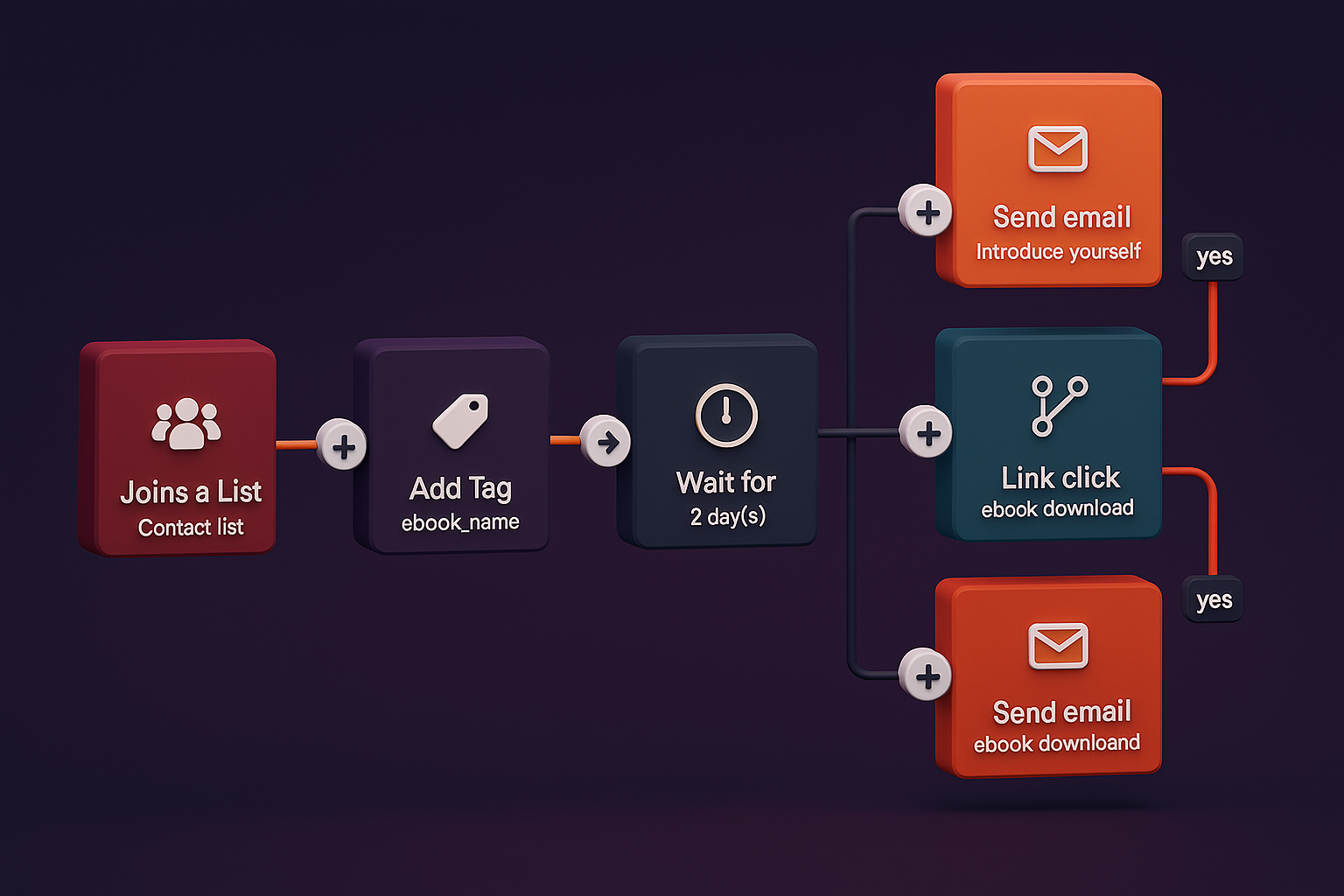
Build this exact 3-email welcome sequence in ActiveCampaign or HubSpot:
- “Thanks + Instant Win” email sent immediately with your lead magnet and one surprising additional resource they didn’t expect;
- “Value-Building Case Study” email sent 2 days later featuring a client in the same industry who achieved concrete results;
- “Next Steps + Low-Friction Offer” email sent on day 4 with a specific, easy-to-accept next action (watch a 12-minute demo, schedule a 15-minute call, or access a free assessment).
Create conditional content blocks within each email that dynamically change based on lead source.
- For example, if they came from LinkedIn, reference their professional network; if they downloaded a specific guide, reference that topic directly.
- Use merge tags for first name, company name, and industry throughout all three emails.
Add this specific behavioral trigger in email #2:
- If they click on the case study link, immediately send them a bonus
“Deep Dive” email with additional case studies from the same industry rather than waiting for email #3.
- In ActiveCampaign, set this up as a conditional split automation triggered by link clicks.
3.3
Implement Service Delivery Optimization
Technology Approach Selection:
- Client service enhancement: Client portal with self-service capabilities
- Operational workflow focus: Business process automation platforms
- Knowledge management approach: AI-enhanced knowledge base systems
Implementation Methodology with Performance Metrics:
- Service Process Analysis:
- Identify routine client service processes that can be streamlined or partially automated
- Process Selection Framework: Volume-Complexity Matrix to prioritize automation candidates
- Efficiency Benchmark: Establish baseline time measurements for current processes
- Self-Service Implementation:
- Create client self-service portals for information access and routine requests
- Critical Features: Document access, status updates, common request submission
- Adoption Strategy: Create incentives for client portal usage in first 60 days
- Experience Monitoring:
- Implement automated check-ins and satisfaction monitoring throughout service delivery
- Measurement Protocol: Deploy transactional NPS at key service milestones
- Intervention Triggers: Configure alert thresholds for satisfaction scores below targets
3.4
Deploy AI-Powered Operational Analytics
Simple Implementation Steps
- Implement Microsoft Power BI or Tableau with AI-enhanced analytics capabilities.
- Connect it to your key operational systems (CRM, project management, service delivery) and configure dashboards that track KPIs across the customer lifecycle.
- Set up anomaly detection alerts that trigger when metrics deviate significantly from expected ranges (e.g., project delivery time exceeding average by 20%).
- Use Google’s Vertex AI or Amazon SageMaker to build predictive resource allocation models.
- Train the model on historical project data (scope, client requirements, delivery time, resource usage), then use it to forecast resource needs for new projects.
- Configure it to generate specific staffing recommendations and timeline projections for each new client engagement.
- Deploy process mining tools like Celonis or UiPath Process Mining to automatically identify operational bottlenecks.
- Configure the system to analyze your workflow data, identify high-friction steps (those taking 50%+ longer than average), and generate specific optimization recommendations with expected time/cost savings calculations.
Your Roadmap to the Market Dominance Phase
Complete these specific actions to advance to the next stage:
Implement Core Systems & AI Foundations
Expected Outcomes:
- Integrated marketing systems that reduce manual effort by 30%
- Data-driven insights to optimize marketing spend across channels
- Initial AI content generation reducing copywriting time by 40%
- Improved lead quality with 25% higher sales team efficiency
Actions:
- Set up Google Analytics 4 with data-driven attribution model, connecting all ad platforms (Meta, Google) and email marketing tools.
- Create a weekly marketing efficiency dashboard in Google Data Studio comparing channel performance and ROI metrics.
- Build an automated lead nurturing workflow in ActiveCampaign that triggers when someone downloads your lead magnet, delivers a 3-email sequence over 6 days, and creates a task in your CRM for leads who engage with all three emails.
- Implement a basic lead scoring system in HubSpot that assigns specific point values to high-intent actions (pricing page views: 5 points, case study downloads: 8 points, demo requests: 15 points) and alerts sales when leads reach 25+ points.
- Configure Jasper AI or similar AI writing assistant with your brand voice guidelines and 3 customer persona profiles to generate personalized email templates and landing page variations.
- Start with A/B testing two AI-generated variations against your current copy.
Key Performance Indicators (KPIs):
- 25%+ improvement in conversion rates from qualified leads
- 30%+ reduction in manual marketing management effort
- 20%+ increase in lead-to-opportunity conversion
- 15%+ improvement in email open and click-through rates with AI-optimized copy
Enhance Personalization & AI-Driven Engagement
Expected Outcomes:
- Personalized client experiences driving 35% higher engagement
- Higher conversion rates across all marketing channels
- AI-optimized content ranking higher in search results
- Improved client retention and satisfaction metrics
Actions:
- Install RightMessage or Convertflow to create personalized website experiences that display different CTAs and headlines based on specific visitor attributes (returning visitors see different messaging than first-time visitors; industry-specific content appears based on behavior).
- Create three distinct email nurturing sequences in ActiveCampaign tailored to your key customer personas:
- “Strategic Decision Makers” focused on ROI and business impact
- “Technical Implementers” focused on features and integration details
- “End Users” focused on usability and specific use cases.
- Use Hotjar to identify your top 3 form abandonment points, then implement A/B tests in Google Optimize to test: simplified form fields (remove all non-essential fields), social proof placement (add specific testimonial quotes next to form fields), and multi-step vs. single-step form layouts.
- Implement MarketMuse or Clearscope AI content optimization tool and analyze your top 10 highest-traffic pages.
- Generate specific enhancement recommendations with keyword gaps and content structure improvements.
- Optimize these pages based on AI insights and measure before/after performance.
- Set up HubSpot’s predictive lead scoring model using your historical CRM data (minimum 100 closed-won and 100 closed-lost deals).
- Configure it to automatically identify patterns in prospect behavior that correlate with successful conversions.
KPIs:
- 35%+ improvement in email engagement rates
- 20%+ increase in website conversion rates
- 15%+ improvement in client retention
- 25%+ improvement in organic traffic to AI-optimized pages
- 30%+ more accurate lead prioritization with AI scoring
Scale Operations & Implement Predictive AI
Expected Outcomes:
- Streamlined operations supporting 2-3x growth without proportional staffing
- Higher-quality leads and 30% faster sales cycles
- Stronger client relationships with 20% higher lifetime value
- Predictive resource planning reducing delivery bottlenecks by 40%
- Automated content distribution improving social engagement by 35%
Actions:
- Document your core service delivery processes in a digital operations manual using ClickUp or Notion, creating specific templates for each deliverable (client onboarding checklist, project kickoff template, status update framework, project handoff procedure).
- Build automated task creation in your project management system that triggers proper sequences when project status changes.
- Implement advanced lead qualification in HubSpot, combining demographic scoring (company size, industry, budget) with behavioral scoring (pages visited, content downloaded, email engagement). Create automated workflow to route leads to the appropriate sales team member based on score and qualification criteria.
- Build unique welcome sequences for each lead source in ActiveCampaign (one for webinar registrants, another for content downloads, another for consultation requests) that delivers source-specific content in the first email, then guides them through a personalized 4-part sequence ending with a contextual call-to-action matched to their engagement level.
- Deploy Google’s Vertex AI or Amazon SageMaker to build predictive resource allocation models using your historical project data.
- Configure it to forecast staffing needs, timeline projections, and potential bottlenecks for each new client engagement with 80%+ accuracy.
- Implement an AI-powered content distribution system using tools like Buffer or Hootsuite with AI enhancements that automatically determines optimal posting times, content formats, and channel selection based on your historical engagement data.
KPIs:
- 25%+ reduction in operational bottlenecks
- 30%+ increase in sales cycle efficiency
- 20%+ improvement in client lifetime value
- 40%+ more accurate project timeline forecasting
- 50%+ reduction in content distribution manual effort
AI-Driven Growth Acceleration
Expected Outcomes:
- Fully integrated marketing ecosystem with 85% automation of routine tasks
- Data-driven decision making with 40% improved accuracy
- Scalable growth systems supporting 3-5x expansion without proportional effort
- Continuously self-optimizing operations reducing costs while improving delivery
- Hyper-personalized customer journeys increasing client lifetime value by 35%
Actions:
- Implement an AI content optimization system using MarketMuse or Clearscope that analyzes your existing content, identifies specific improvement opportunities (topic gaps, competitive differentiation points, engagement patterns), and generates content briefs with exact keywords, questions to answer, and structural recommendations for each piece.
- Deploy Salesforce Einstein or Adobe’s AI Assistant for next-best-action recommendations that automatically suggest the optimal next touchpoint for each prospect based on their unique engagement patterns and similarities to previously converted customers.
- Implement predictive analytics dashboards in Power BI or Tableau that forecast resource needs, identify emerging market opportunities, and predict customer behavior shifts with 85%+ accuracy.
- Configure automated alerts when metrics deviate from predictions by more than 15%.
- Set up process mining with Celonis or UiPath Process Mining to automatically analyze your workflow data, identify operational inefficiencies, and generate specific optimization recommendations that continuously improve as more data is collected.
- Implement a full AI-powered customer journey orchestration platform like HubSpot’s Journey Builder or Acoustic’s AI Journey Designer that automatically adapts communication timing, channel selection, and content focus based on individual prospect behavior patterns.
KPIs:
- 40%+ improvement in marketing ROI
- 50%+ reduction in manual marketing management
- 35%+ increase in customer lifetime value
- 45%+ more accurate sales forecasting
- 30%+ reduction in customer acquisition costs
Recommended Solution
VIP Scaling Systems Package
$31,130 Value
$6950
$4,830 Total Bonus Value
No obligation. 30-minute consultation to discuss your custom implementation plan.
Trusted by Successful Founders
Ready to Transform
Your Digital Presence?
Schedule your free strategy session to discuss your custom implementation plan.